

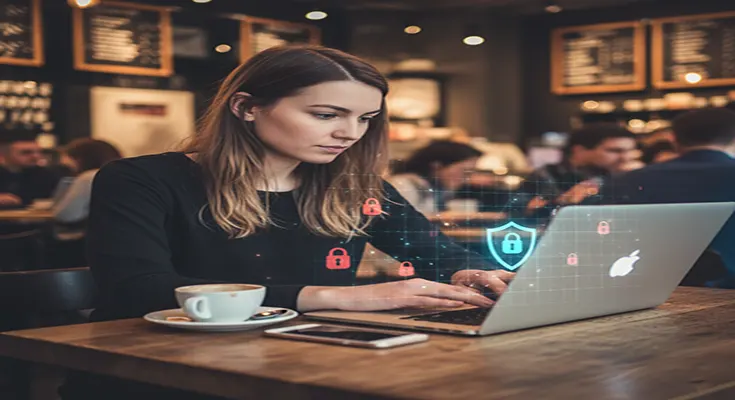
The allure of the digital nomad lifestyle is undeniable: working from a beach in Bali, a café in Paris, or a co-working space in Medellín. This freedom, however, comes with a significant cybersecurity caveat, especially when relying on public Wi-Fi networks. These networks, found in airports, coffee shops, hotels, and libraries, are often insecure, making digital nomads prime targets for cybercriminals.
While the convenience of public Wi-Fi is a necessity for staying connected on the go, a lack of proper precautions can expose your personal data, business information, and financial accounts to serious risks. From identity theft to corporate espionage, the threats are real and constantly evolving.
This article will outline essential cybersecurity practices specifically tailored for digital nomads navigating the often-treacherous landscape of public Wi-Fi. Following these tips can help you safeguard your digital life, ensuring your journey as a digital nomad remains productive and secure.
1. Understand the Risks of Public Wi-Fi
Before diving into solutions, it’s crucial to grasp why public Wi-Fi is so dangerous. These networks are inherently less secure than your home network because:
- Lack of Encryption: Many public Wi-Fi networks don’t encrypt the traffic between your device and the Wi-Fi router. This means anyone with basic tools can “listen in” on your activity and see what you’re doing.
- Man-in-the-Middle (MitM) Attacks: Criminals can set up fake Wi-Fi hotspots (e.g., “Free Airport Wi-Fi”) that look legitimate but are designed to intercept your data. They can also position themselves between your device and a legitimate Wi-Fi access point to eavesdrop or even alter your communications.
- Malware Distribution: Unsecured networks can be used by attackers to inject malware into your device if you visit compromised websites or download files.
- Shared Network Vulnerabilities: Because you’re on a shared network with many strangers, vulnerabilities in your device’s operating system or applications can be exploited by others on the same network.
2. Always Use a Virtual Private Network (VPN)
This is the single most critical cybersecurity tool for any digital nomad. A VPN creates a secure, encrypted “tunnel” between your device and a server operated by the VPN provider.
- Encryption: Even if a public Wi-Fi network is unencrypted, your data is protected within the VPN tunnel. This means that if an attacker intercepts your data, it will appear as scrambled, unreadable code.
- IP Masking: A VPN hides your true IP address, making it much harder for websites, advertisers, or cybercriminals to track your online activity or pinpoint your physical location.
- Geographical Flexibility: You can choose a server location in a different country, allowing you to access geo-restricted content or services if needed for work.
Choosing a VPN:
- Opt for a reputable, paid VPN service. Free VPNs often log your data, have slower speeds, and may not offer robust encryption.
- Look for features like a “kill switch” (which disconnects your internet if the VPN connection drops) and DNS leak protection.
- Ensure it has apps for all your devices (laptop, phone, tablet).
3. Enable Two-Factor Authentication (2FA) Everywhere
2FA adds an extra layer of security beyond just a password. Even if a criminal manages to steal your password (e.g., via a phishing attack or public Wi-Fi snooping), they still won’t be able to access your account without the second factor.
- How it Works: After entering your password, you’ll be prompted for a second piece of information, such as a code from an authenticator app (e.g., Google Authenticator, Authy), a text message to your phone, or a fingerprint scan.
- Prioritize Critical Accounts: Enable 2FA on your email accounts, banking apps, cloud storage, social media, and any work-related platforms. Your primary email is particularly important, as it often acts as the recovery method for other accounts.
- Authenticator Apps vs. SMS: Authenticator apps are generally more secure than SMS-based 2FA, as SMS messages can be intercepted (though this is less common).
4. Keep Your Software and Operating Systems Updated
Software updates aren’t just for new features; they frequently include critical security patches that fix vulnerabilities.
- Operating System (OS): Ensure your laptop, phone, and tablet operating systems are always updated to the latest version. Enable automatic updates if possible.
- Applications: Keep all your browsers, productivity software, communication apps, and security software (antivirus/anti-malware) updated.
- Browser Extensions: Regularly review and remove any browser extensions you don’t actively use, as they can sometimes introduce vulnerabilities or track your browsing.
5. Use Strong, Unique Passwords and a Password Manager
Reusing passwords is akin to using the same key for your home, car, and office—if one lock is compromised, everything is at risk.
- Strong Passwords: Create long, complex passwords that combine uppercase and lowercase letters, numbers, and symbols. Aim for at least 12-16 characters.
- Password Manager: A password manager (e.g., LastPass, 1Password, Bitwarden) is indispensable for digital nomads. It generates strong, unique passwords for all your accounts, stores them securely, and automatically fills them in. You only need to remember one master password.
- Change Default Passwords: If you use any network devices (like a personal travel router), change the default administrative passwords immediately.
6. Configure Your Devices for Public Wi-Fi
Adjusting your device settings can significantly reduce your exposure to risks on public networks.
- Disable File Sharing: Turn off file sharing, remote login, and any other network sharing features on your laptop and phone when connected to public Wi-Fi.
- Enable Firewall: Ensure your device’s firewall is always active. This acts as a barrier between your device and potential threats from the network.
- “Forget” Networks: Once you’ve finished using a public Wi-Fi network, manually “forget” it on your device. This prevents your device from automatically reconnecting to potentially compromised networks in the future.
- Use HTTPS Everywhere: Always look for “https://” in the website address bar (and a padlock icon). This indicates an encrypted connection. Consider installing a browser extension like “HTTPS Everywhere” to automatically redirect you to the secure version of websites when available.
7. Be Wary of Phishing and Social Engineering
Cybercriminals don’t just exploit technical vulnerabilities; they also exploit human trust.
- Phishing Emails/Messages: Be extremely cautious of emails, texts, or messages that ask for personal information, login credentials, or demand urgent action. Always verify the sender and the legitimacy of the request, especially when prompted to click links or download attachments.
- Baiting: Avoid plugging unknown USB drives into your devices, as they might be infected with malware.
- Information Overload: Be mindful of what you share online, particularly on social media, as this information can be used by criminals to tailor more convincing social engineering attacks against you.
8. Consider a Mobile Hotspot or Local SIM Card
For critical tasks or when public Wi-Fi seems particularly unreliable, a mobile hotspot or local SIM card provides a more secure and often faster alternative.
- Mobile Hotspot (MiFi Device): These portable devices create a personal Wi-Fi network using cellular data. They are more secure than public Wi-Fi because you control who connects to them.
- Local SIM Card: Purchasing a local SIM card for your phone allows you to use your phone’s cellular data as a personal hotspot, bypassing public Wi-Fi entirely. This is often an economical choice for extended stays in one country.
9. Back Up Your Data Regularly
Even with the best cybersecurity practices, accidents and attacks can happen. Regular data backups are your final line of defense.
- Cloud Backups: Use reputable cloud services (e.g., Google Drive, Dropbox, OneDrive, Mega) with strong encryption and 2FA enabled.
- External Hard Drive: Maintain an encrypted external hard drive for additional backups. Keep it physically secure and separate from your laptop.
- “3-2-1 Rule”: Keep at least three copies of your data, store them on two different types of media, and keep one copy off-site (e.g., cloud backup).
The digital nomad lifestyle is about freedom and flexibility, but it shouldn’t come at the cost of your digital security. Public Wi-Fi, while convenient, introduces significant risks that must be actively mitigated.26 By consistently using a VPN, enabling 2FA, keeping your software updated, and practicing smart digital habits, you can significantly reduce your vulnerability to cyber threats.
Embrace these essential cybersecurity tips not as burdens, but as fundamental tools that empower you to work safely and confidently from anywhere in the world. Your digital well-being is paramount to sustaining your life on the move. Safe travels, and stay secure!